
Phone suddenly showing “No Service” for no reason? 😮 That could be a SIM swap attack already in progress — here’s exactly what to do in the next few minutes. Stay safe! 🚀
Everything you need is right below ⬇️⬇️⬇️
Recommended Reading:
HOW TO PROTECT YOUR BANKING APP FROM FRAUDDEBIT FIRST, CREDIT LATER: THE SAFE PATH
If your phone suddenly loses all signal and you did not request a SIM swap, treat it as a live attack: contact your bank’s fraud line and your network provider immediately, before you do anything else.
💳 The credit card & banking options that actually fit South African budgets — the full comparison goes straight to your email
This article walks through the warning signs of a SIM swap, who to call first, and how to lock down your card and banking app once your number is safe.
Do not lose time and keep reading to see how it works!
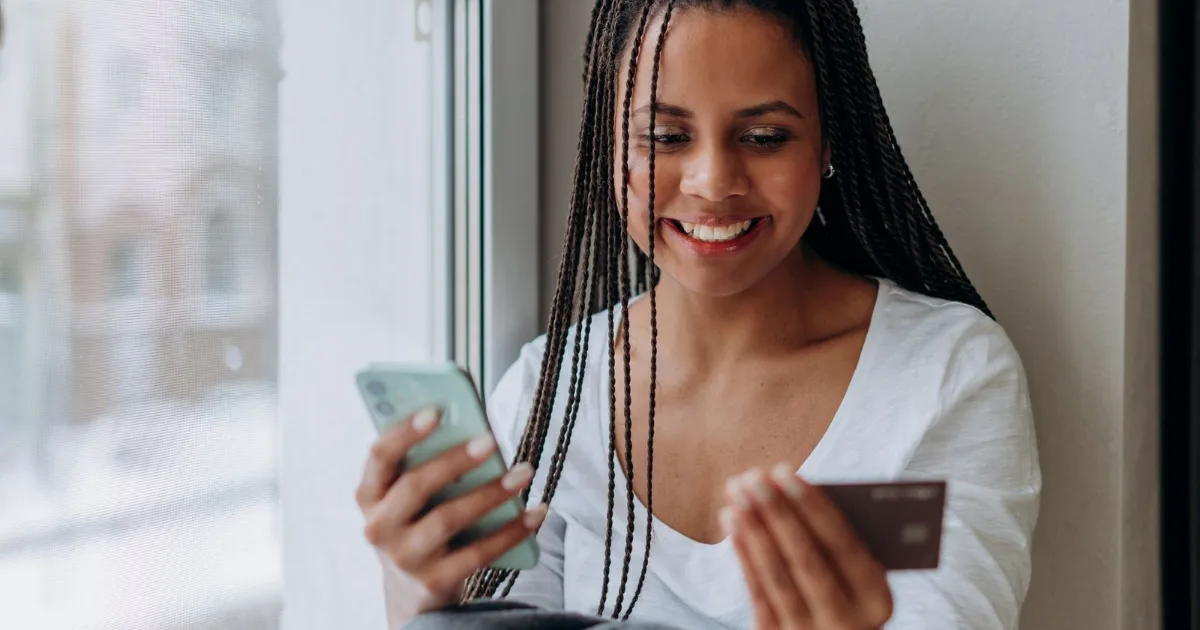
Not sure which credit path fits your income? Compare 3 safe South African options.
YES, SHOW ME THE OPTIONS!NOT RIGHT NOW
How Does SIM Swap Fraud Work?
A SIM swap happens when a fraudster manipulates a network provider into moving your number onto a SIM they control, often using stolen personal details.
Once they hold your number, they can receive the one-time PINs your bank sends by SMS — enough to access your banking app or approve a card transaction.
The clearest warning sign is a sudden, total loss of signal when you never requested a new SIM.
What Helps You Recover Faster After a SIM Swap Attempt?
- Correct RICA registration in your own name, with accurate details.
- A SIM-swap or port-out PIN, if your network provider offers one.
- Never sharing OTPs. No bank or network agent needs your one-time PIN over the phone.
- App notifications over SMS, which keep working even if your SIM is compromised.
- A second way to reach your bank, saved somewhere other than your phone.
- Regular statement checks to catch problems early.
- Reporting swap alerts fast, even from someone else’s phone.
- Freezing your card fast in the banking app, in seconds.
If your SIM is suddenly dead, contact your bank immediately — then see how to spot a WhatsApp loan scam, a fraud that often targets the same victims.
Can a SIM Swap Really Empty Your Credit Card or Bank Account?
Yes — a fraudster who controls your number can intercept the one-time PIN your bank uses to approve a login, a new payee or a card transaction.
Banks add other checks, such as app-based approval, but no system is completely swap-proof.
How Do I Know a SIM Swap Is Already Happening to Me?
The earliest sign is usually a text from your network provider confirming a swap request you never made.
The next sign is a sudden, complete loss of signal — no bars, no calls, no data — with your banking app login suddenly failing too.
Is RICA Registration Enough to Stop SIM Swap Fraud?
RICA requires every South African SIM to be registered with verified personal details, which helps investigators trace fraud after the fact.
It doesn’t stop every attack alone — SIM swap fraud is still linked to billions of rand in losses every year, industry fraud-monitoring reports show, often through social engineering rather than a RICA gap.
What Should You Do With Your Credit Card the Moment You Suspect a SIM Swap?
Open your banking app, if you still have access, and freeze card transactions first.
If you’re already locked out, call your bank’s fraud line from a different phone and ask them to block card authorisations and OTP-based approvals.
⚠️ Never trust anyone who claims they can reverse a SIM swap or protect your card for a fee, or who asks for your OTP, PIN or banking app password to “verify” your account. Your bank and network provider will never ask for these details over the phone.
How to Respond in the First Hour After a Suspected SIM Swap
Every minute your number sits in someone else’s hands is a minute they can try to move money, so move faster than they do.
- Check current guidance from the banking industry’s official fraud-prevention body, SABRIC, then call your bank’s fraud line from a different phone.
- Contact your network provider and ask them to investigate and reverse the swap if you did not request it.
- Freeze your credit card and any linked banking app access until your number is confirmed safe.
- Change your online banking and app passwords once you’re back in control of your number.
- Review your last statements for any transaction you don’t recognise, and dispute it immediately.
Acting within the first hour usually decides whether a SIM swap becomes a scare or a real financial loss.
Contact Details: Networks and Banks
Save these official numbers somewhere other than your phone, since a swap can lock you out of your own contacts too:
- Vodacom fraud support: 082 135
- MTN customer care: 135 (MTN line) or +27 83 135
- Telkom / Cell C fraud lines: 0800 124 000 / 135
- Absa fraud line: 0860 557 557
- FNB fraud line: 087 575 9444
- Standard Bank fraud line: 0800 222 050
- Nedbank fraud line: 0800 110 929
- Capitec fraud line: 0860 66 69 94
- National Credit Regulator (NCR): 0860 627 627
Is It Worth Setting Up SIM Swap Protection Before It Happens?
Yes — a few minutes registering your RICA details correctly and asking your provider about a swap PIN costs you almost nothing today.
Against that small effort sits a real risk: SIM swap fraud is one of the fastest routes into a South African bank account, and recovery afterward takes far longer than prevention.
The only real downside is a slightly longer process the day you genuinely need a new SIM yourself — a trade-off worth making.
- Building banking habits first? See: Capitec App and Credit Readiness: What Helps?
- Weighing a big one-off expense? Compare: Personal Loan vs Credit Card: Which Is Less Risky?
- Want the full roadmap? Check: Digital Path: From Bank App to First Credit Card
If your SIM is suddenly dead, contact your bank immediately.
I hope this helped; if you still have a question, leave a comment and we’ll get back to you.
Frequently Asked Questions About SIM Swap Fraud
What is SIM swap fraud?
It’s when a fraudster moves your phone number onto a SIM card they control, usually to intercept one-time PINs from your bank.
How would I know if my SIM was swapped without my permission?
The clearest sign is a sudden, total loss of signal, often alongside a swap-confirmation text you never requested.
Can SIM swap fraud affect my credit card even if I never share my card number?
Yes. Fraudsters don’t need your card number if they can intercept the one-time PIN used to approve transactions or logins.
Who should I call first if I suspect a SIM swap?
Contact your bank’s fraud line and your network provider at the same time, from a different phone if possible.
Does RICA registration protect me from SIM swap fraud?
It helps investigators trace fraud, but it doesn’t block social-engineering attacks on its own, so extra steps like a swap PIN still matter.
Will my bank refund money lost to a SIM swap attack?
It depends on the case and how quickly it was reported, so contact your bank’s fraud team directly to find out.
Can I set up a PIN to block unauthorized SIM swaps?
Many network providers offer extra verification for swap requests, so ask your provider what’s available on your line.
What should I do with my credit card while I sort out a SIM swap?
Freeze it in your banking app or by calling your bank’s fraud line, and only unfreeze it once your number is confirmed safe.
Sources consulted: SABRIC, South African Banking Risk Information Centre (sabric.co.za); COMRiC 2025 Telecommunications Sector Report via TechCentral (techcentral.co.za); Vodacom Now! SIM Swap Fraud guidance (now.vodacom.co.za); MTN South Africa Help & Support (mtn.co.za); Absa Fraud & Security Centre (absa.co.za); Capitec Bank Fraud Centre (capitecbank.co.za); Standard Bank Security Centre (standardbank.co.za); Nedbank Fraud Awareness (personal.nedbank.co.za); National Credit Regulator (ncr.org.za).
⚠️ Disclaimer
This is an independent information portal, not officially linked to any mobile network, bank, SABRIC or the National Credit Regulator. We do not process SIM swaps, card freezes or fraud reports on your behalf, and we never charge a fee for this content. Contact numbers and procedures can change — always confirm with the official channel before acting.

Marc Smith is the founder of the Budget Geridibiase blog, where he uses his decade-plus experience as a financial consultant to simplify the world of finance, credit cards, and insurance. His mission is to translate complex topics into practical, accessible advice, empowering readers to make financial decisions with confidence and build a secure economic future.